
Learn what’s new and improved at Nulogy.
Enhancements
Shift management
An enhancement has been made to the way shifts are set up in Production Scheduling. With this enhancement, all shifts will now be managed from a single page to streamline any updates that need to be made to shifts (see Fig. 1).
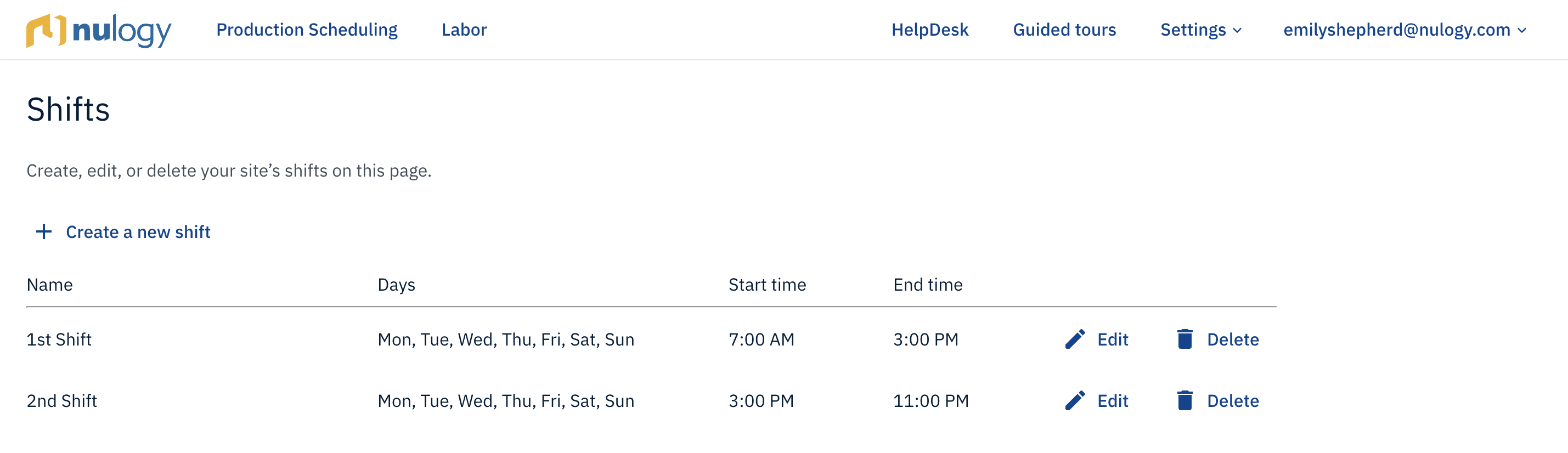
Fig. 1: The new shift management page in Production Scheduling
To access the new shift management page, go to Settings > Shifts. From this page, new shifts can be created by clicking 'Create a new shift'. Shifts can be edited and deleted by clicking 'Edit' and 'Delete', respectively.
New columns in the schedule export
An enhancement has been made to the schedule export, where information about the starting shift and overall quantity produced on the work order have been added as columns in the export. The new 'Starting Shift(s)' and 'Work Order Quantity Produced' columns have been added to the right of the 'End Time' and 'Work Order Quantity' columns, respectively.
Note: Please update your documents that rely on column positioning.
Introducing partial successes when creating jobs from Production Scheduling
An enhancement has been made to publishing the schedule, where running into an error while creating jobs will not prevent all blocks from being published. For example, previously if you tried to publish 10 blocks and create jobs, no jobs would get created if any of the 10 blocks had an error. With this change, the blocks with no errors will successfully have jobs created and the blocks with errors will not have jobs created. The reason(s) for any job not being created will continue to be displayed when errors occur (see Fig. 2).
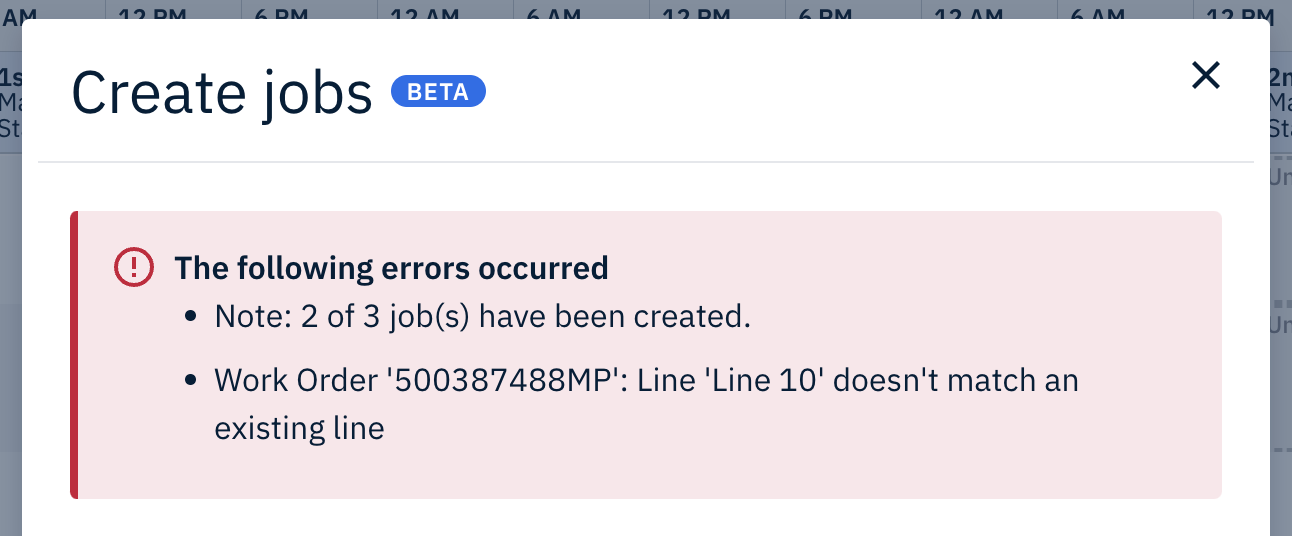
Fig. 2: The new feedback displayed when 2 out of 3 jobs are successfully created from Production Scheduling
Fixes
- A fix has been made to the fill-in-the-gap mode, where holding down 'Shift' while scheduling the last part of a work order will no longer over-schedule the work order to fill in the entire shift.
Comments
0 comments
Please sign in to leave a comment.