
Article code: PSHDB14
Tags: Set Up, Line, Efficiency
Answer
When scheduling work orders on a line that has an efficiency applied to it, the line efficiency will affect the time it takes to complete a work order. This is because line efficiency affects the standard rate of production of the item.
In Production Scheduling, the standard rate of production is used to calculate the duration of a work block. When scheduling work blocks on a line that has an efficiency applied, it will affect how the work block appears (e.g. longer or shorter). Please read the section below, which provides a demonstration on how line efficiency affects the duration of work blocks.
For example, one of your customers sends you a work order request to produce 200 cases of chocolates. Based on historical production data at your facility, it takes 4 workers on average to produce 50 cases of chocolates per hour. Thus, the standard production rate to produce chocolates is 50 cases per hour with 4 workers.
Let’s consider scheduling this work order request on two different lines that have different line efficiencies.
Line 1 with 100% line efficiency
At your facility, line 1 is called Production Line 1, which has a line efficiency of 100%. When you schedule this work order on Production Line 1, it will take 4 workers a total of 4 hours to produce 200 cases of chocolates (i.e. 200 cases / 50 cases per hour, where 50 cases/hr is calculated by 50 cases/hr * 100% efficiency).
Line 2 with 80% line efficiency
At your facility, line 2 is called Production Line 2, which has a line efficiency of 80%. When you schedule this work order on Production Line 2, it will take 4 workers a total of 5 hours to produce 200 cases of chocolates (i.e. 200 cases / 40 cases per hour, where 40 cases/hr is calculated by 50 cases/hr * 80% efficiency).
As seen in this example, since the Line 2 has a lower line efficiency then Line 1, then any work order with the same amount of production to be scheduled will result in a longer work block (see images below for how this would appear on the Visual Schedule). This type of information is good to be aware of for your planning purposes.
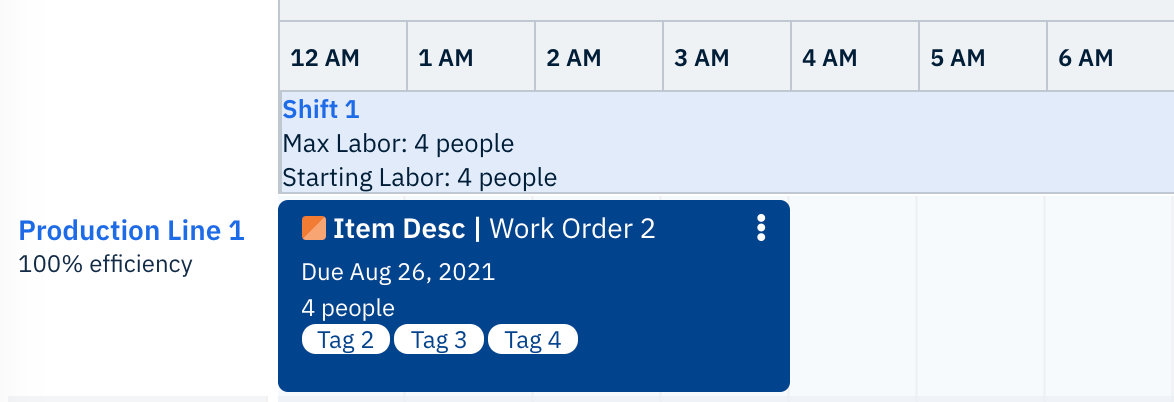
Fig. 1: Scheduling Work Order 2 on Production Line 1, which has an efficiency of 100%
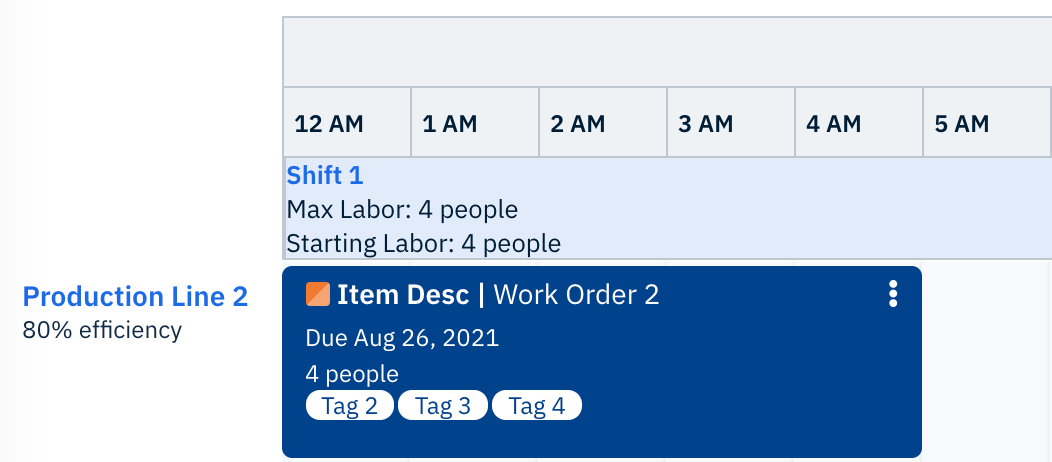
Fig. 2: Scheduling Work Order 2 on Production Line 2, which has an efficiency of 80%
Best Practice Tip!
As you gain a better understanding of the standard production rate for items produced at your facility and the efficiency of each line, it is a good practice to regularly update these values. Frequently updating all items’ standard production rate and line efficiency means you will be working with accurate production data, which could result in creating accurate production schedules.
When you consistently use accurate production schedules, you will begin to discover insights at your facility. You can use these insights to start conversations on how to develop new methods to optimize production, which could lead to your facility accepting more business and, thus, generating more revenue!
Integration with Nulogy’s Operational Solution
For Production Scheduling users that also use Nulogy’s Operational Solution, the item’s standard rate of production is configured on the Item Details page, under the Assembly Details tab.
Related HelpDesk Articles:
Comments
0 comments
Please sign in to leave a comment.