
Article code: PSHDB11
Tags: Set Up, Line
Answer
Lines in Production Scheduling refer to locations within your facility where production (e.g. packing or manufacturing) is being completed. For example, lines can represent production lines or an area in your facility that has a collection of machines that are used for production or a physical location where workers stand to complete production work.
To create a line in Production Scheduling, please follow these steps:
- Select Settings at the top of the navigation bar
- Select Lines
- Select Create a new line
- Enter the name of the Line
- Enter the production line type or machine type of the line
- Enter the efficiency rate of the Line
- Select Save when you are done
The line will display on the left side of the visual schedule, as shown in the image below.
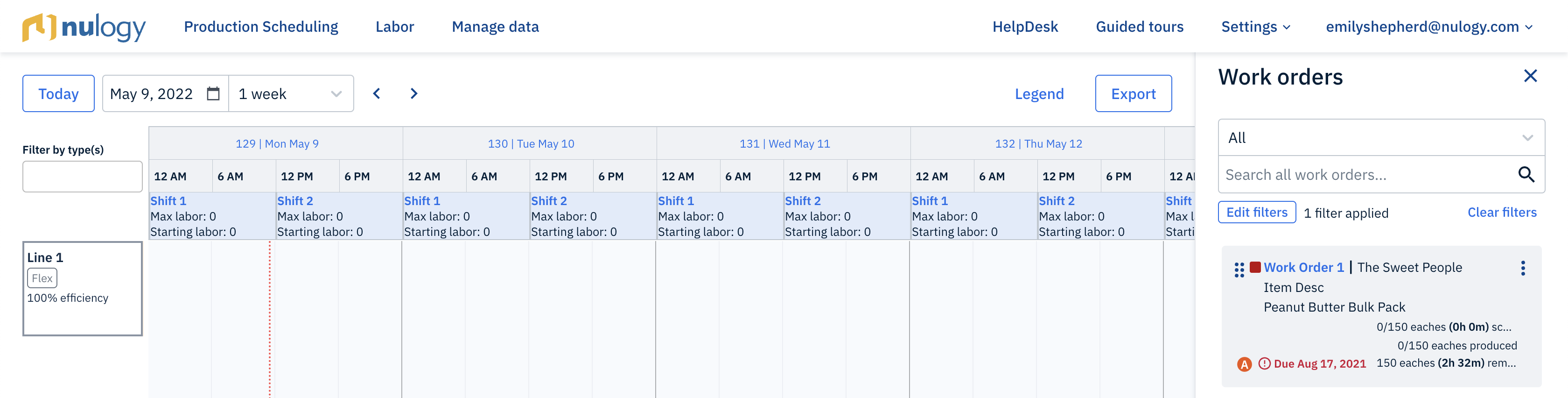
Fig. 1: Screenshot of a newly created line
Related HelpDesk Articles:
- What is a line in Production Scheduling?
- What is a line type in Production Scheduling?
- What do I do if I accidentally delete a line in Production Scheduling?
- What do I do if I accidentally delete a shift in Production Scheduling?
Comments
0 comments
Please sign in to leave a comment.